 Pocket music studio
Loopstack
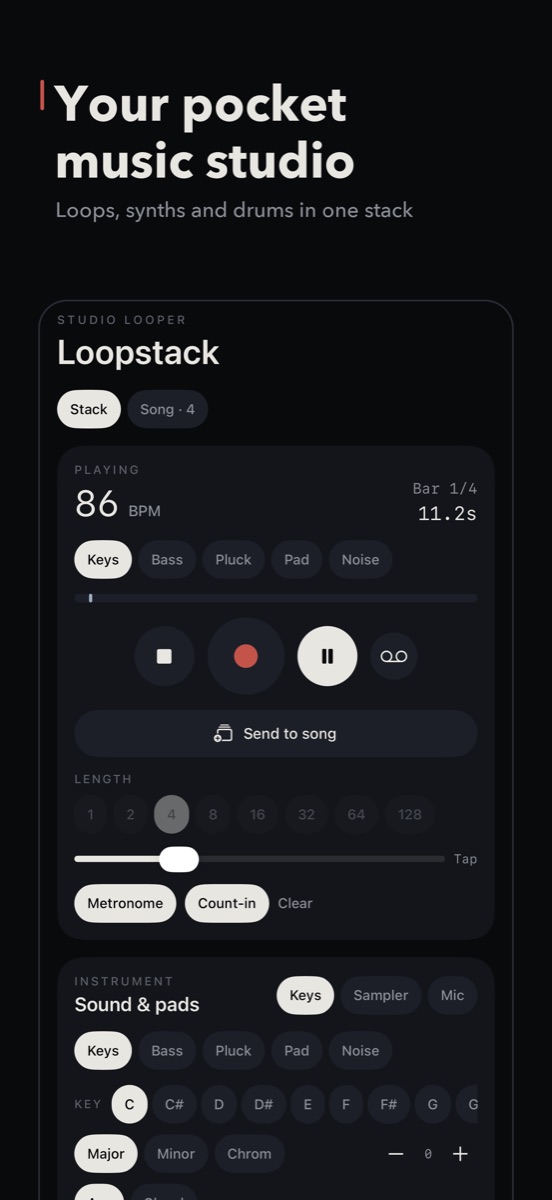
Stack loops, play in-key pads and build beats, from slow, hazy downtempo to fast, chopped breaks. A few loops already sound like a record.
For iPhone and iPad, with Loopstack Pro coming to the Mac. Pay once: every feature included, no subscription, no in-app purchases.
Tape, deep FM bass and real recorded instruments, shaped by ear to sit together.
22 recorded instruments
Two grand pianos, upright, organ, basses, electric guitar, strings, cello, harp, flute, saxophones, horn, vibraphone, marimba and more, with every velocity layer.
53 synth sounds, all shapeable
Keys, Bass, Lead, Pluck, Pad and Noise. Two oscillators with FM, a filter with its own envelope, LFO, unison, glide, drift and glitch.
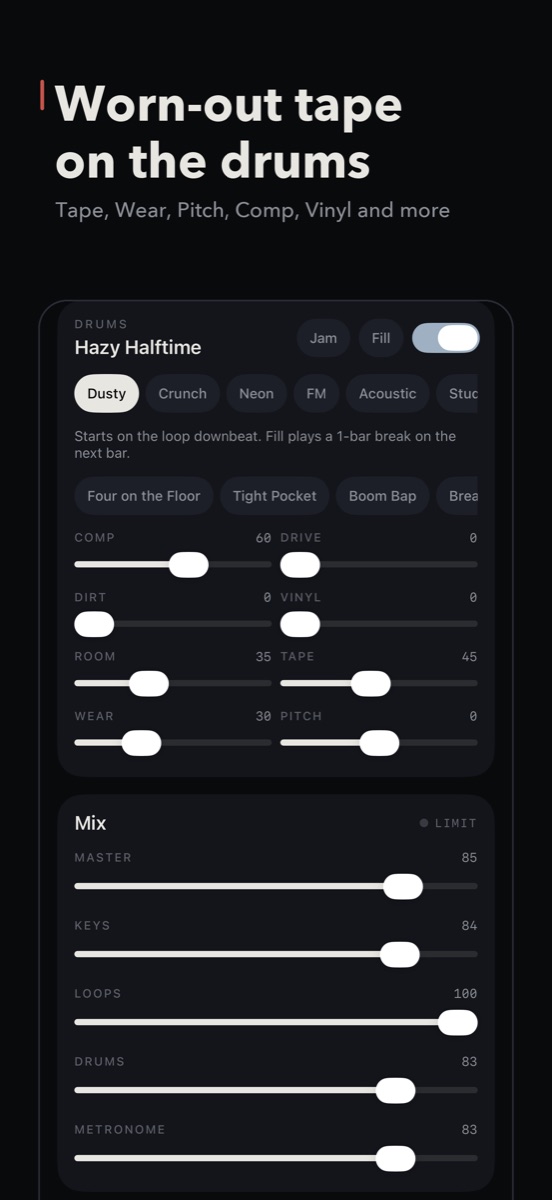
Tape and Wear
Warm saturation, wow and flutter, drifting pitch and dropouts. Chorus, ping-pong delay and five reverbs, from a small room to a vast dark hall.
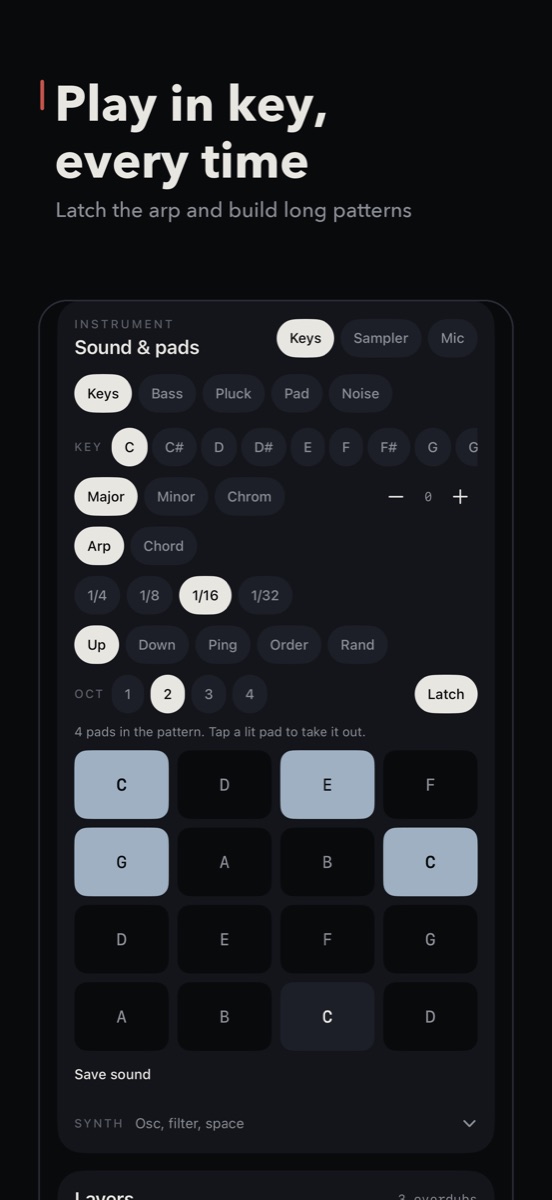
You can't hit a wrong note
In-key pads in any key and scale, chord mode and an arpeggiator locked to the beat. Plug in a MIDI keyboard and map any slider with MIDI Learn.
Every take is complete
Press record anywhere and Loopstack captures one full pass in time. Stack up to 8 loops, keep several takes and re-voice note loops with a new sound.
Bend any loop
Filter, crush, echo, width, beat repeat and gate, then change speed, pitch or length, always in time. Reverse, half speed, Tone and Punch per loop.
Thirty seconds, from first loop to song.
Record a loop, stack a few more, drop in drums, bend it through tape and send it to the song.
From the first loop to a finished song.
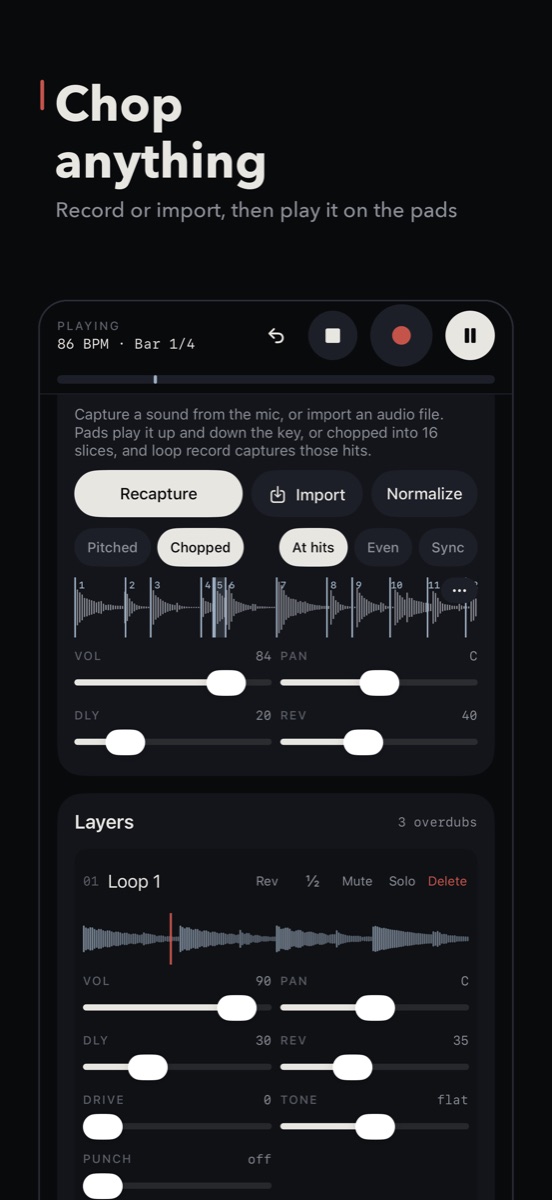
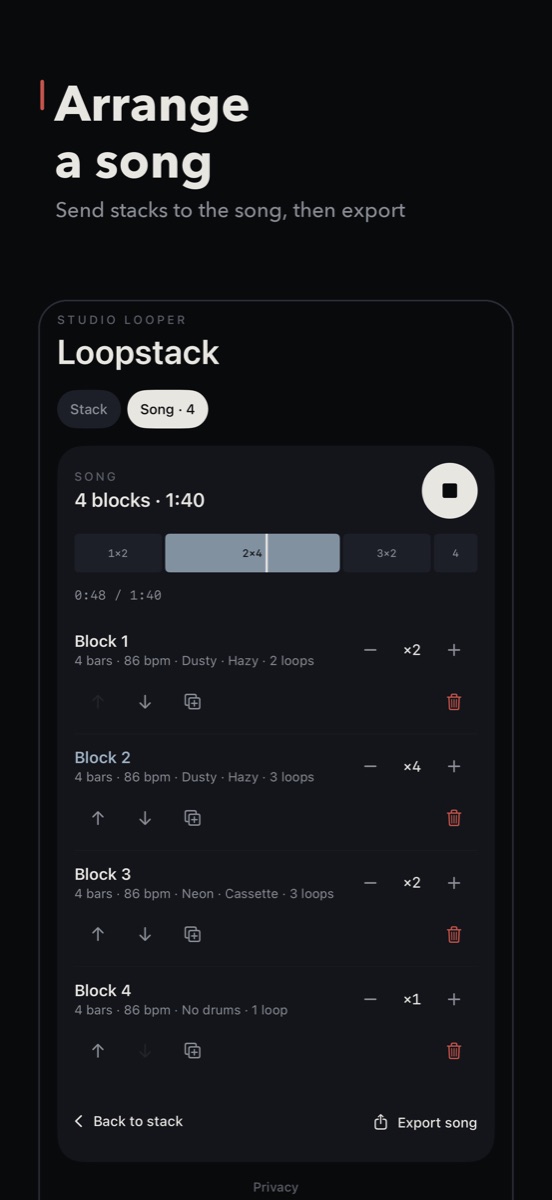
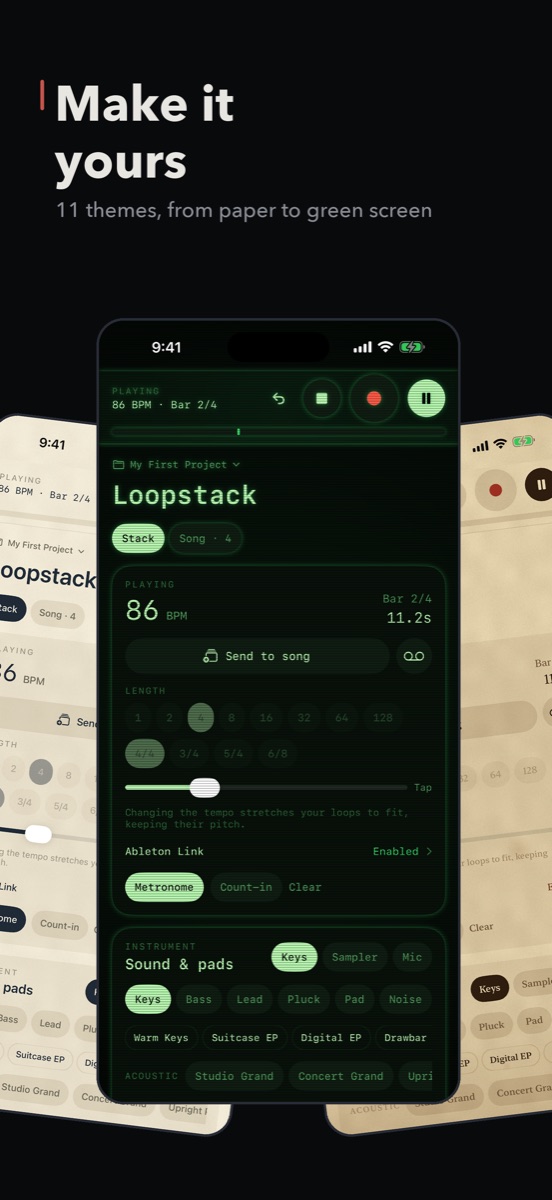
Everything a beat needs, in one stack.
Ten kits, dozens of grooves
- Dusty samplers to gated 80s snares, plus recorded Acoustic, Studio, Rock, Jazz and Brushes kits
- 4/4, 3/4, 5/4 and 6/8
- Step editing with chance and rolls
- Jam mode adds fills as you play
Capture it, chop it, play it
- Record with the mic or import your own audio
- Chop at the hits, evenly or in time with your bars
- Pitch, reverse, one-shot or hold per chop
- Save chops as sounds and kits
Finish it on the phone
- Glue, Loudness, Width, DJ Filter and Pump on the master
- Arrange loops into a song
- Export WAV or M4A, or stems with MIDI files
- Projects sync through your own iCloud Drive
Plays well with others
Ableton Link keeps tempo with other apps on your Wi-Fi. Load Audio Unit instruments and effects, or play Loopstack's synths inside GarageBand.
11 themes
The original dark, Fjord, Dusk, Neko, a glowing green-screen Phosphor, and six real-paper looks from cream notebook to an antique page.
No account, no ads, no tracking
The microphone is only used when you turn it on. Your music stays on your device, or in your own iCloud Drive if you turn on sync.
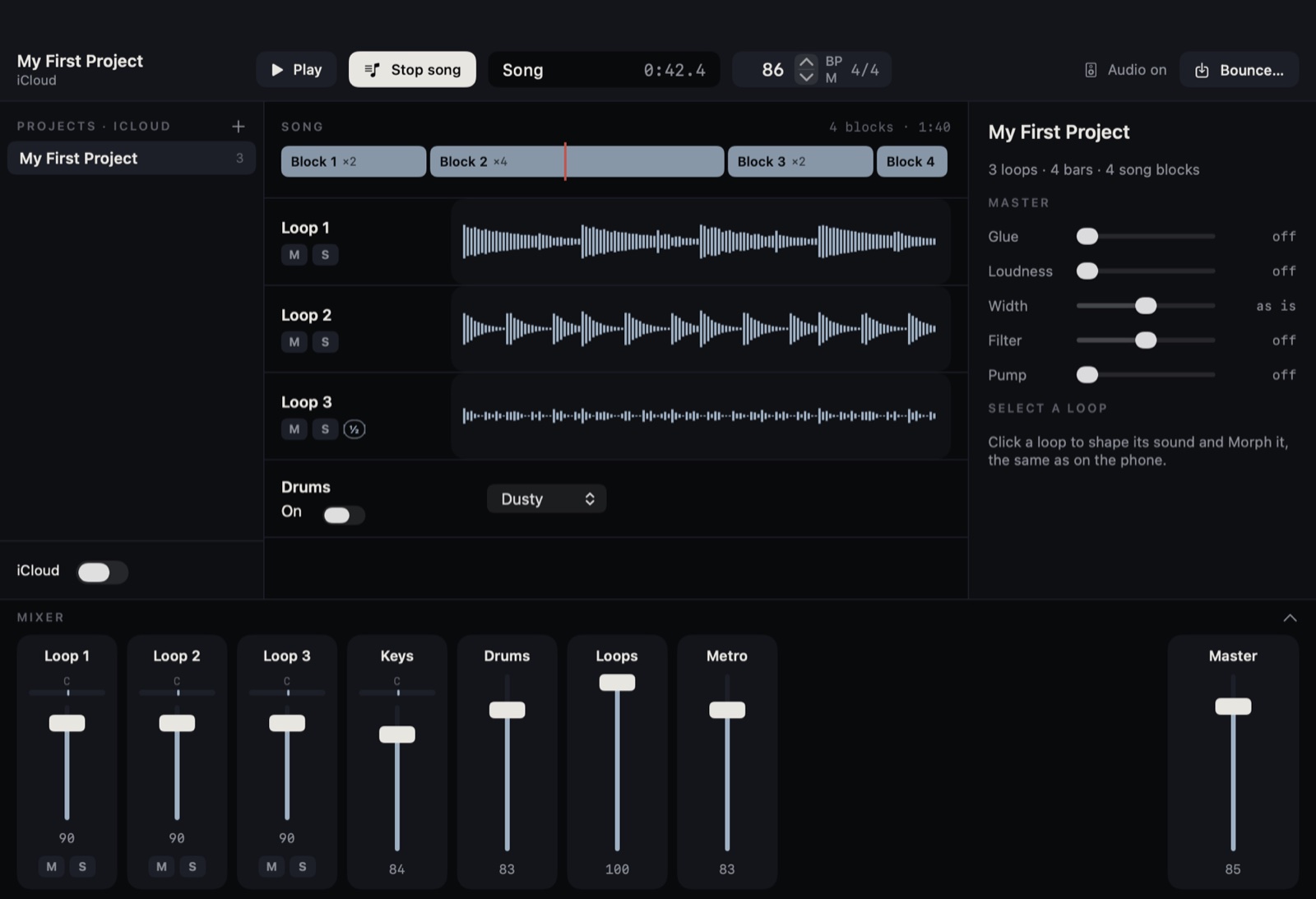
Finish it on the big screen.
Loopstack Pro opens your phone projects on the Mac with a timeline, piano roll, Audio Unit plugins, automation and a full mixer. It's a separate app.
Loopstack Instrument
Loopstack's synth sounds as an Audio Unit plugin, included with the app. Load it in GarageBand, Logic Pro for iPad, AUM and other music apps that host instruments, and play the Loopstack sound inside your own projects.
Good to know
Is it a subscription?
No. You pay once and every feature is included. There are no in-app purchases.
Does it work on iPad?
Yes. It's one app for iPhone and iPad, and on iPad you get a two-column studio with the pads and loops side by side.
Can I use a MIDI keyboard?
Yes, over USB or Bluetooth, with velocity, sustain pedal, pitch bend and the mod wheel. Long-press any slider to map it to a knob on your controller.
Can I get my music out into a DAW?
Export the song as WAV or M4A, or share each loop as a stem along with MIDI files of the notes you played.
Is there a Mac version?
Yes, Loopstack Pro is coming to the Mac as its own app. It opens the projects you make on your phone. Get an email when it's out.
Make something tonight.
Loopstack for iPhone and iPad.